chords#
A self-hosted songbook for guitarists. Every song is a chord chart — title, artist, key, capo, tempo, auto-scroll speed and tags — stored as plain text with each chord inline, right before the syllable it lands on. Charts go into playlists, and playlists can be shared with the people you play with.
{Chorus}
[G]Harbour [D]lights, [Em]harbour [C]lights
[G]Keep me [D]steady through the [C]night
[Am]Holds a light for [D]one more
That is the whole format: a section label in braces, chords in brackets. Because it is plain text, your songs are never locked into chords.
Playing together#
One device leads a playlist and the others follow. The song appears on every follower's screen the moment the leader opens it, and scrolls in step once you play. It works between people on a shared playlist and between your own devices on a playlist you have never shared at all.
One account on two windows: the left one leads, the right one follows. The song is opened on the left and appears on the right; play starts, and both scroll together.
Getting songs in#
Give it a URL, paste a chart, or upload a photograph of one, and it is parsed into a clean, structured chart. The parser runs on OpenRouter with your own key; nothing is sent anywhere until you ask for an import. A browser extension does the fetching from your own session for sites that will not answer a server.
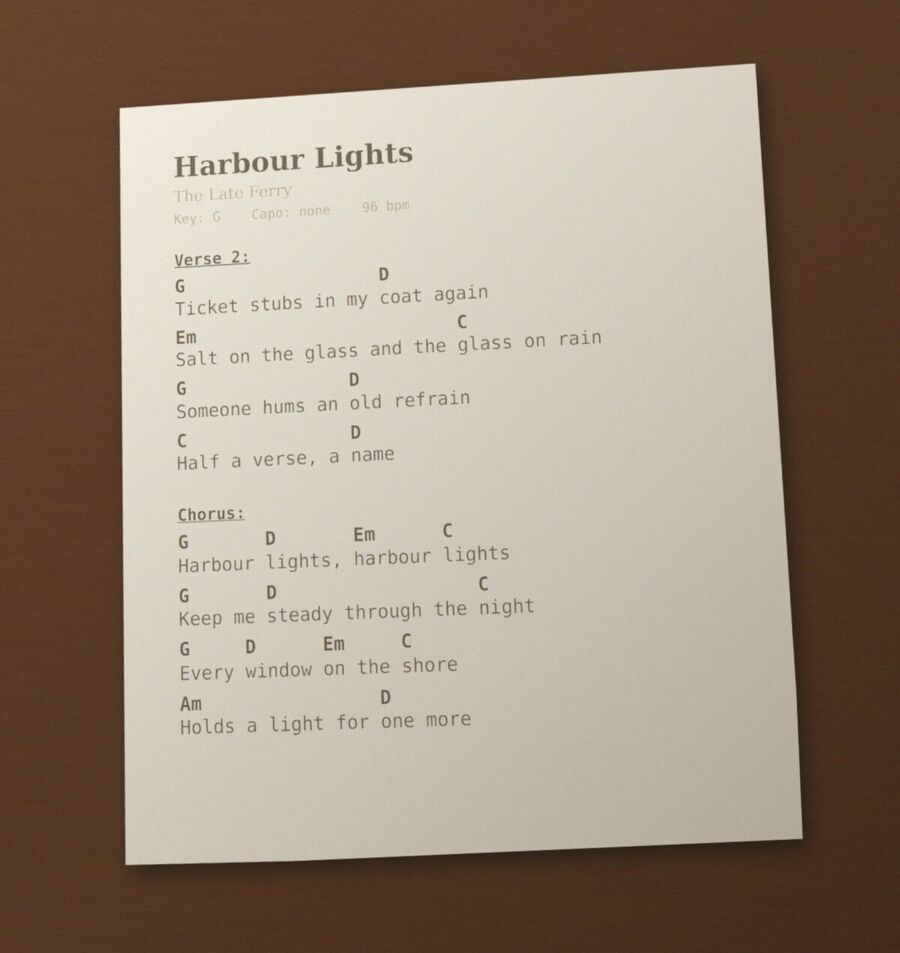
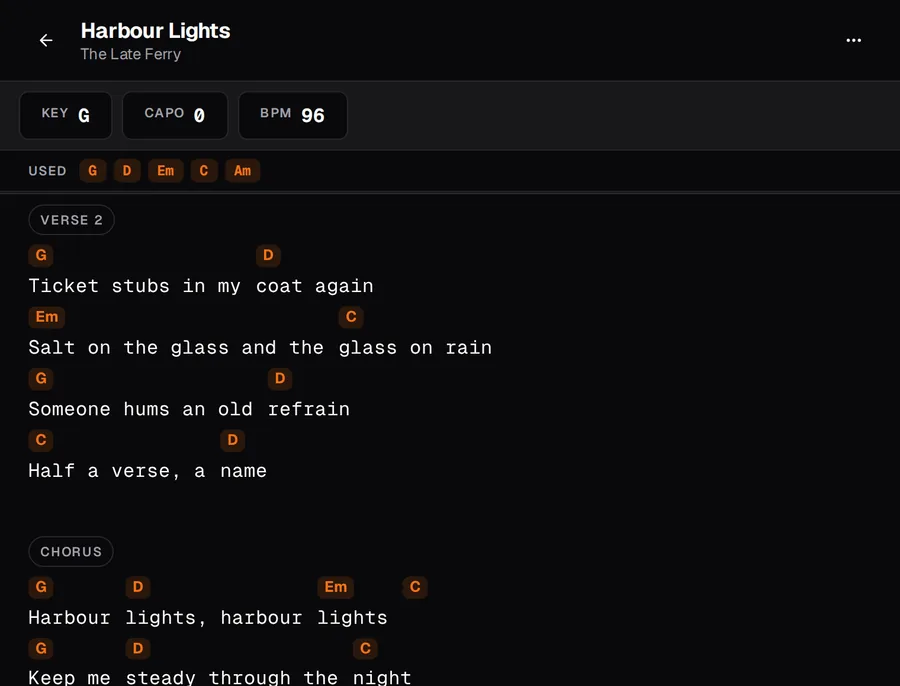
A printed sheet, photographed in software rather than with a camera, and the song chords' import made of it, unedited: the title, artist, key, capo and tempo, every word, and every chord in order. On four lines a chord landed one word late, which is a two-second fix in the editor.
Scraping a site may be against its terms. Check that you are allowed to before importing from it.
Where it runs#
The server is FastAPI over SQLite and serves the frontend itself; the desktop and mobile builds are the same app in a Tauri shell. Accounts are created through single-use invite links — there is no open sign-up and no password reset by email.
Run your own#
You need Docker with Compose, Python 3.11 or newer, Node.js, and a domain pointing at the machine with ports 80 and 443 open. An OpenRouter key is needed only for importing.
git clone https://github.com/vaelum/chords.git && cd chords
mkdir -p ~/.chords && echo 'chords.example.com' > ~/.chords/domain
python butler.py server build
That builds and starts chords, the headless browser its import uses, and
Caddy, which gets a certificate for the domain. Everything chords keeps is in
~/.chords. Sign in as admin with the admin_passcode from
~/.chords/secrets.json, then invite everyone else from
Admin · Invites. The desktop and Android apps ask for your server's
address on first launch.
Read more#
- Documentation: running your own, the chart format, playlists and sessions, importing songs, and the apps and the extension.
- Source: the repository on GitHub, with releases for Linux, Windows and Android, and the browser extension.